Search for "Customer Account Orders Pragma" on the Shopify App Store and click Install.

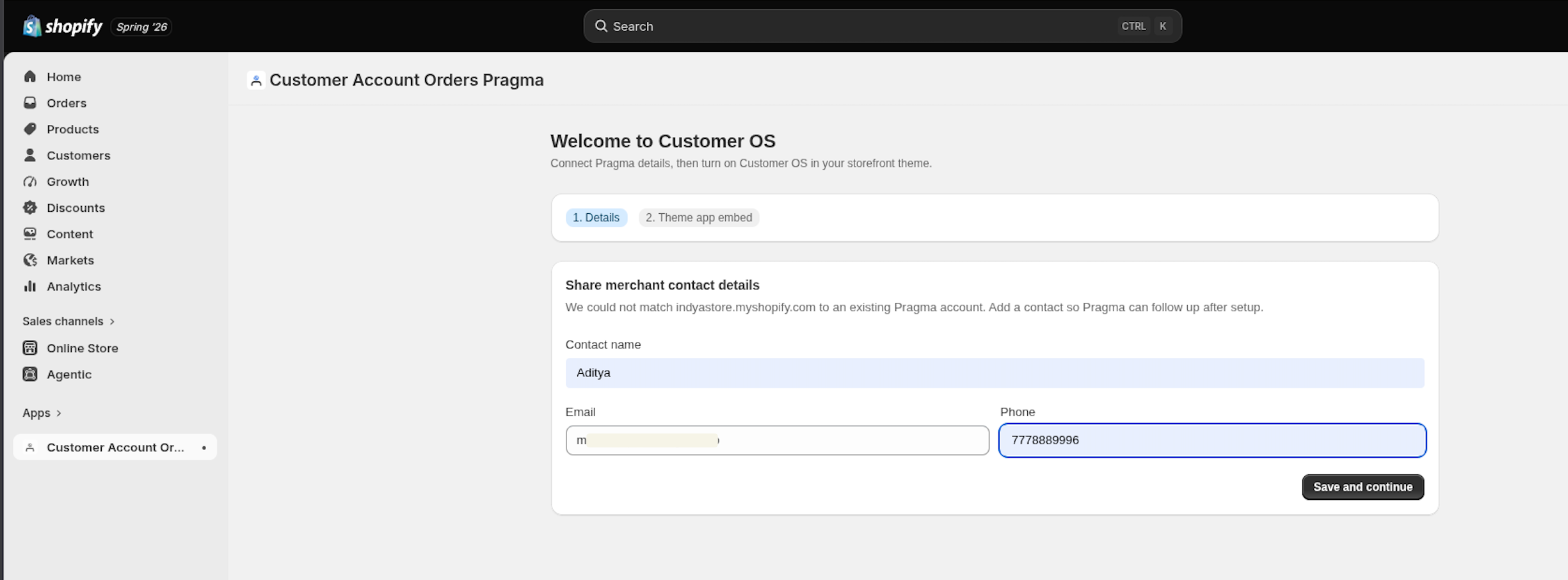
- Step 1: Fill in the required details and click Save & Continue.
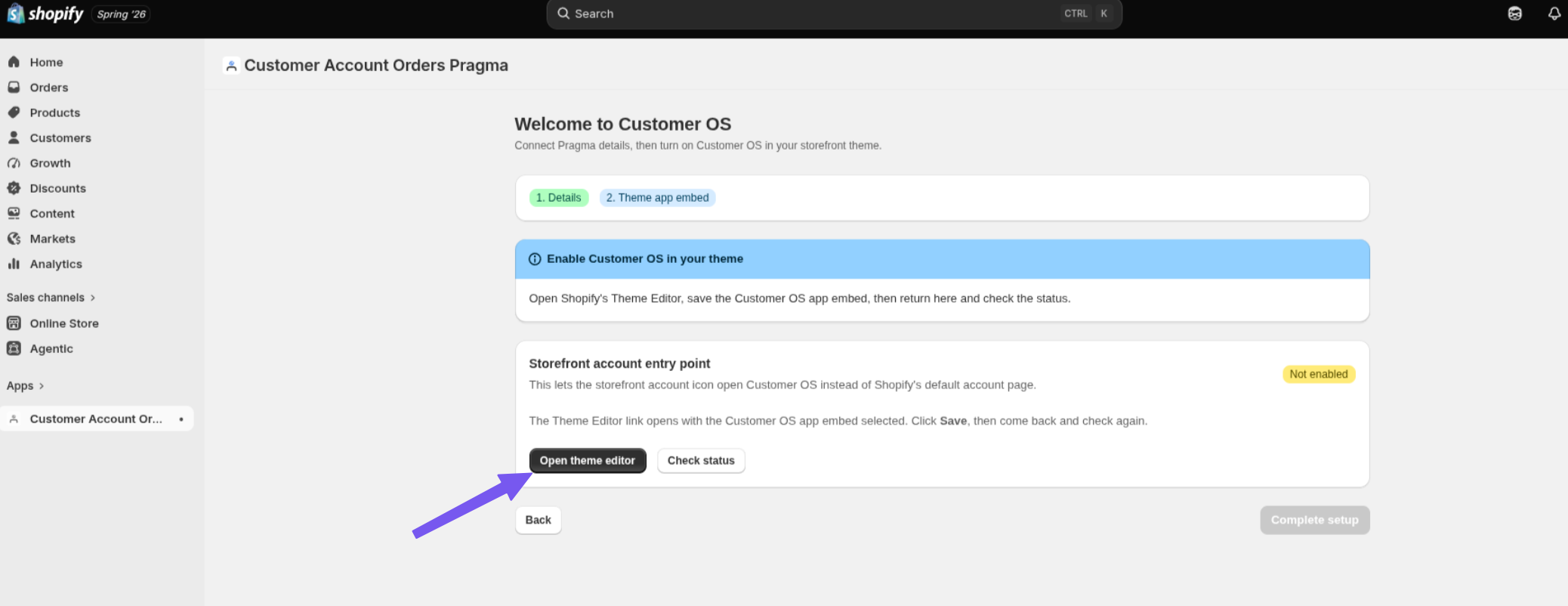
- Step 2: Click Open Theme Editor.
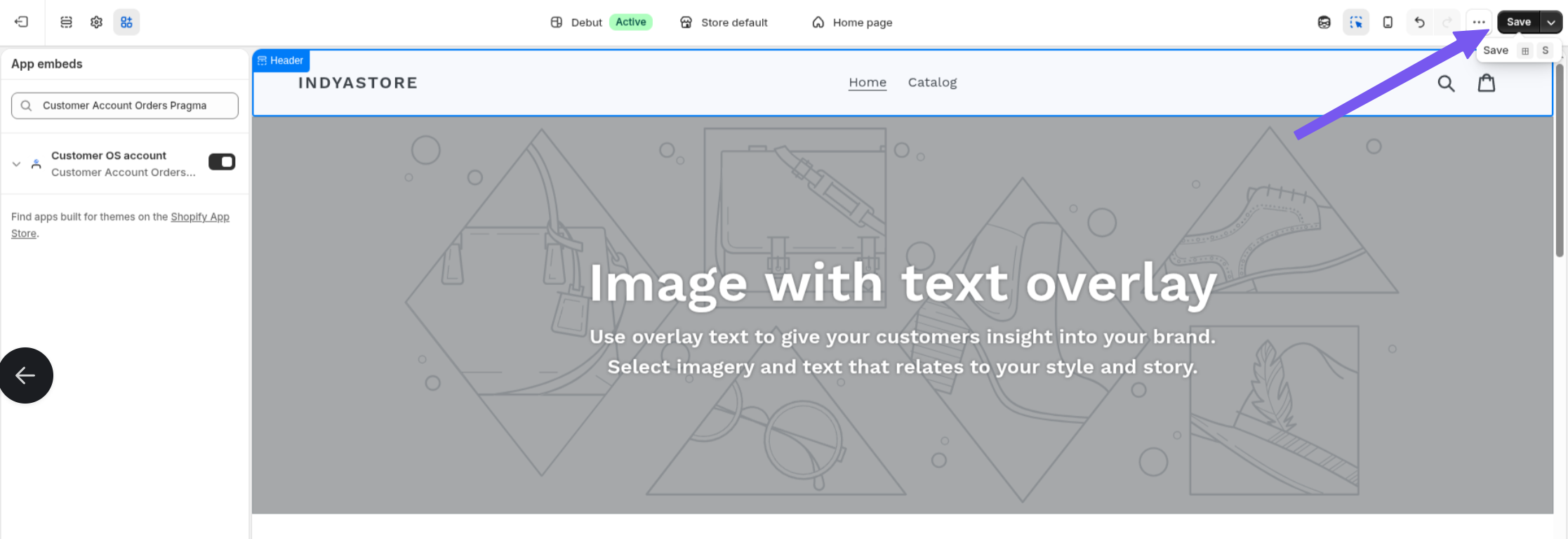
- You will be redirected to a new tab.
- Click Save in the Theme Editor.
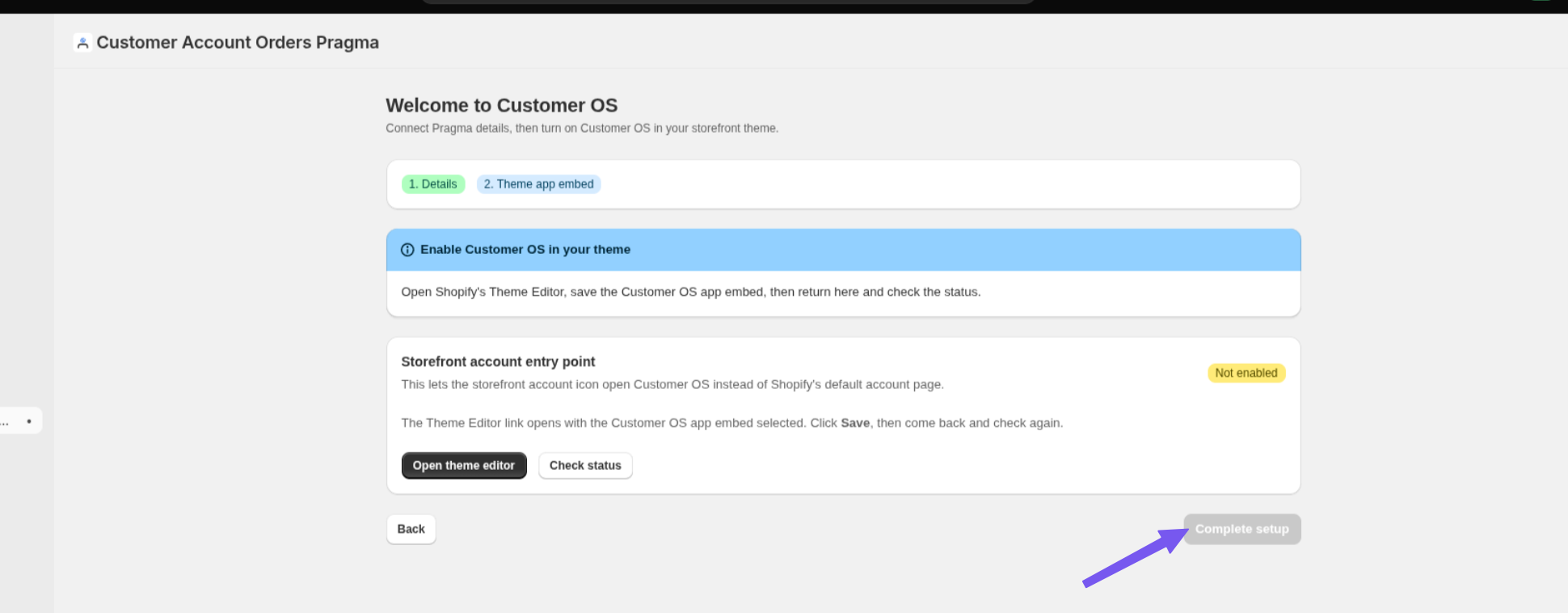
- Go back to Step 2 (Theme App Embed) and click Complete Setup.
Your app will now be installed successfully. You can configure the settings based on your requirements.
The app is currently live on your website. To verify the setup, log in to your website using a customer account and navigate to the My Account section. You'll be able to see the Pragma Customer OS page there.
Was this article helpful?
That’s Great!
Thank you for your feedback
Sorry! We couldn't be helpful
Thank you for your feedback
Feedback sent
We appreciate your effort and will try to fix the article