1. Go to the EasyEcom dashboard and click on the profile in the top-right corner.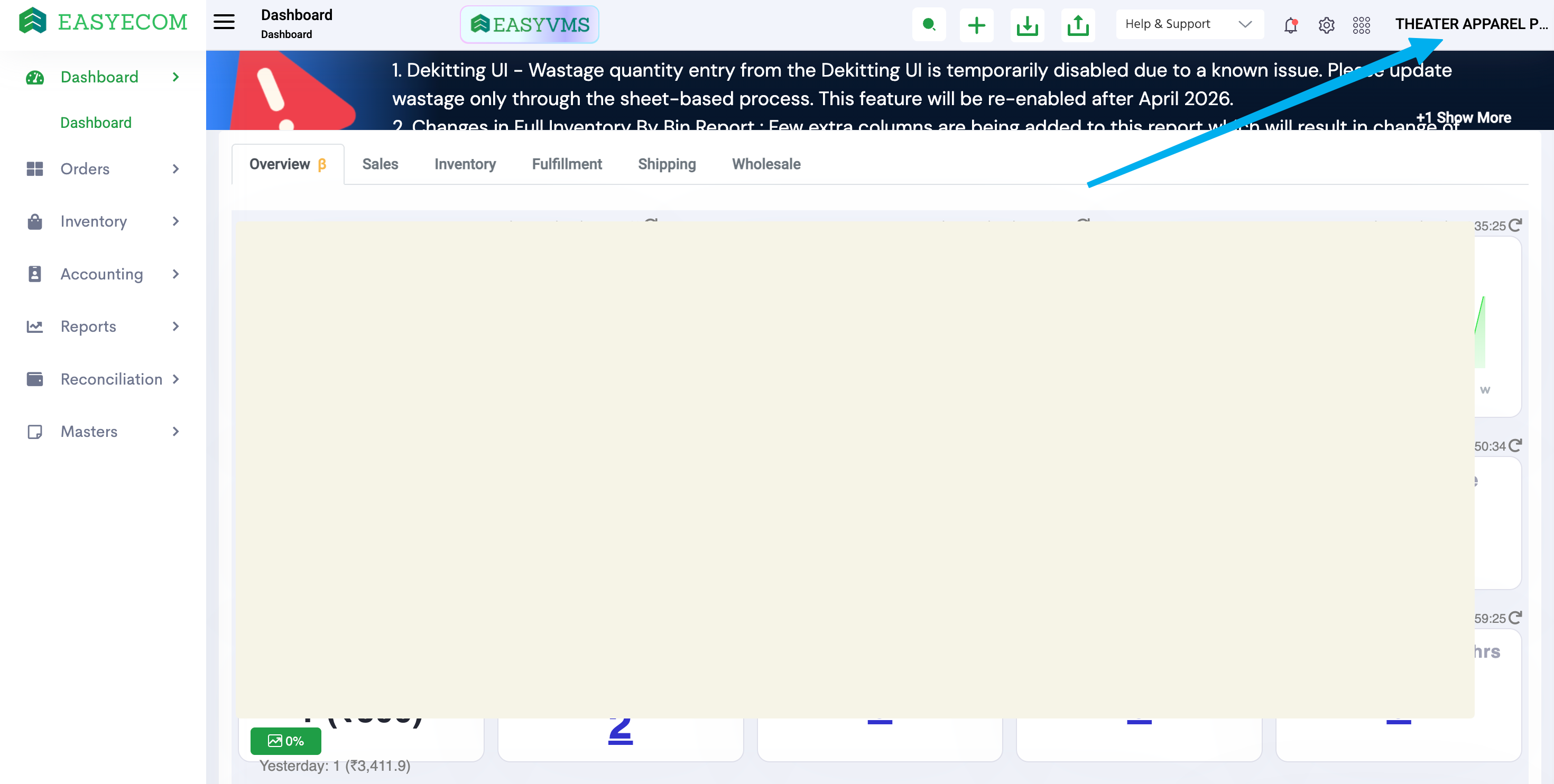
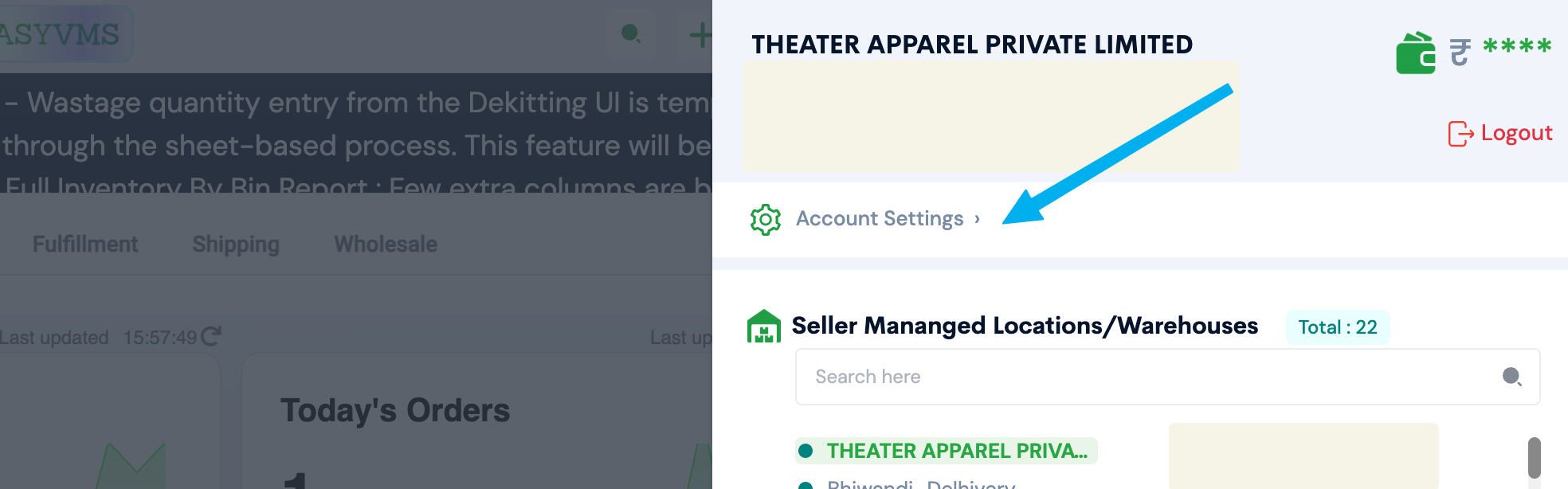
2. Go to 'Account Settings'
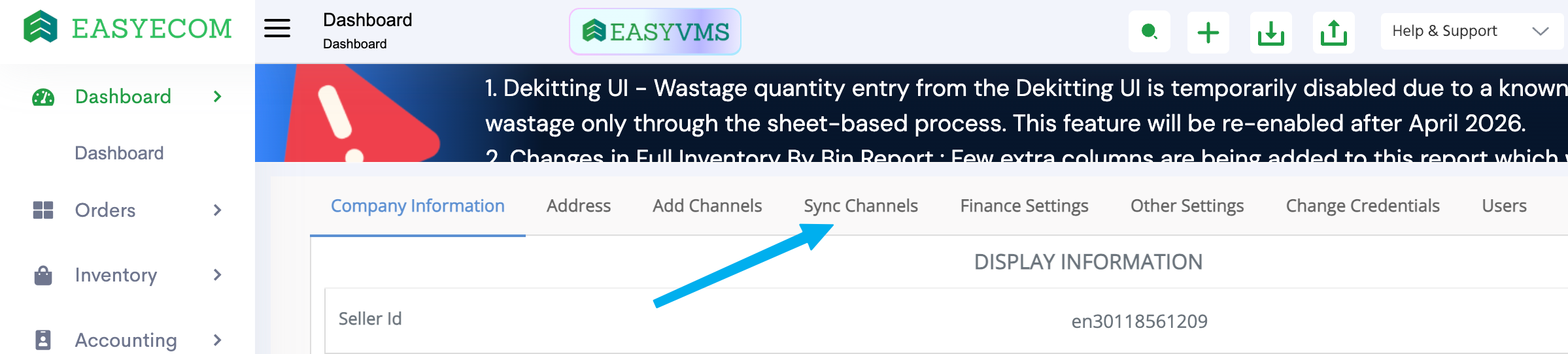
3. Click 'Sync Channels'
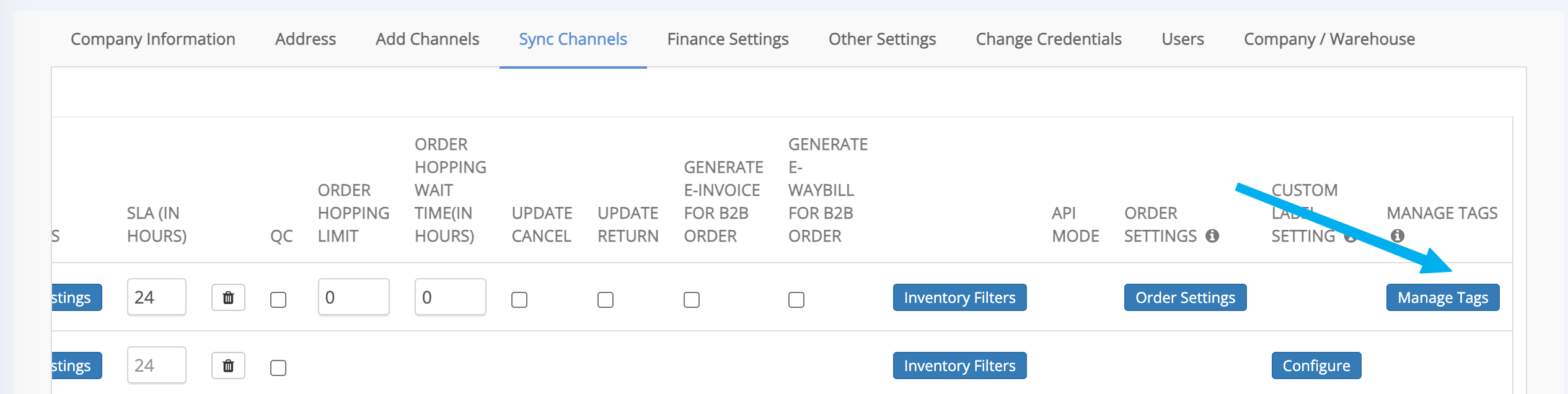
4. Scroll to the right in the 'Shopify' row and click on 'Manage Tags'
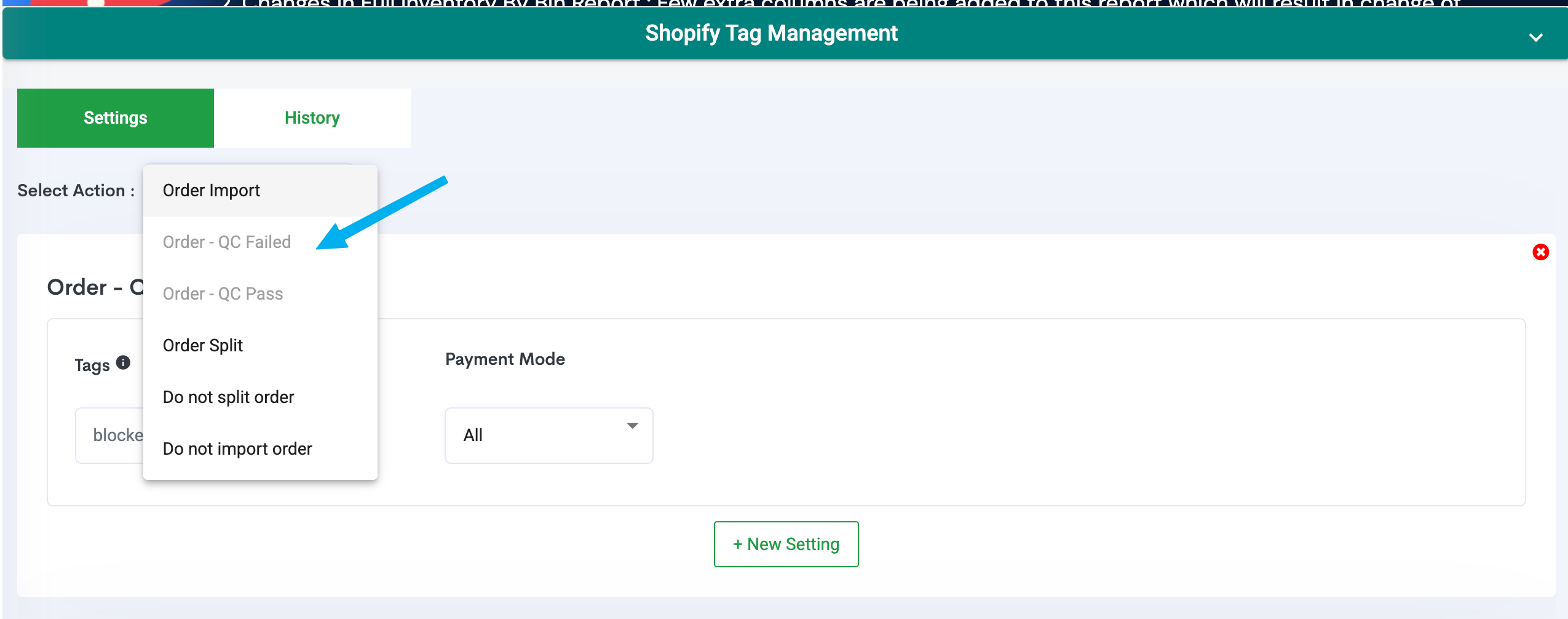
5. Here select 'Order - QC failed' and add the tag "blocked_by_pragma"
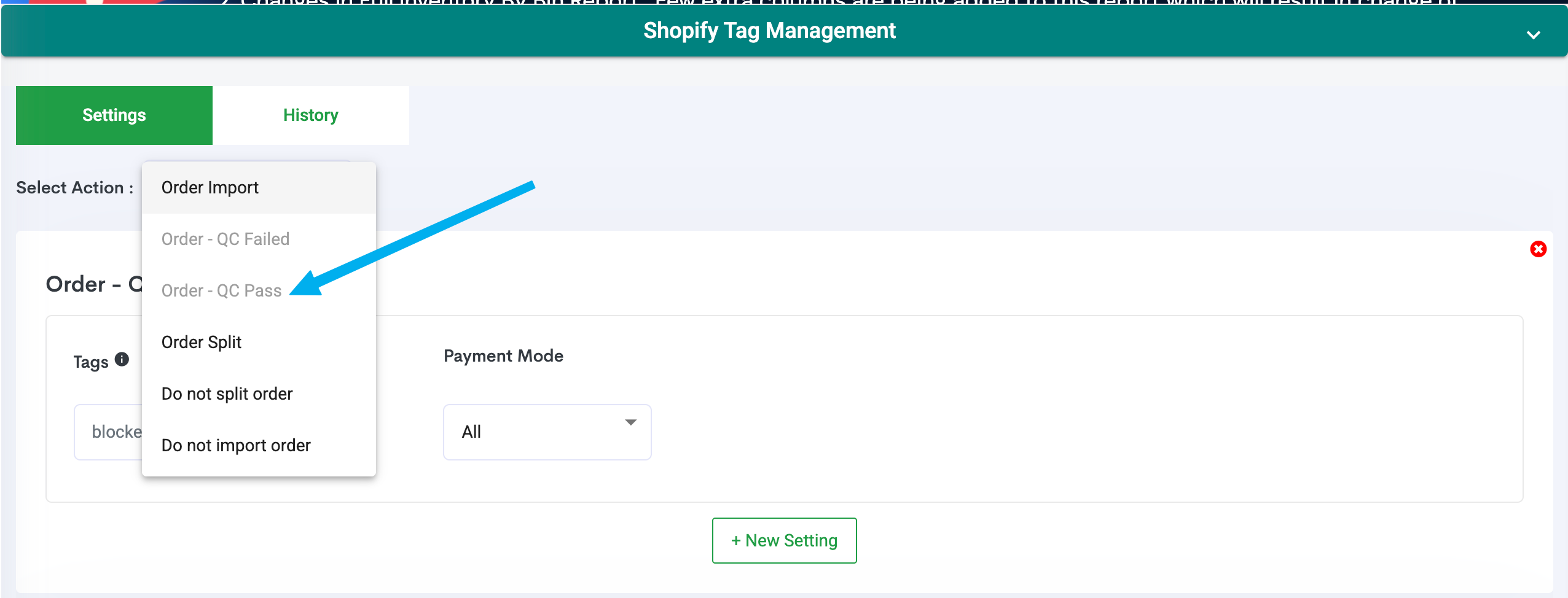
6. Same as 5th point. Select 'Order - QC Passed' and add the tag "released_by_pragma"
7. Save the changes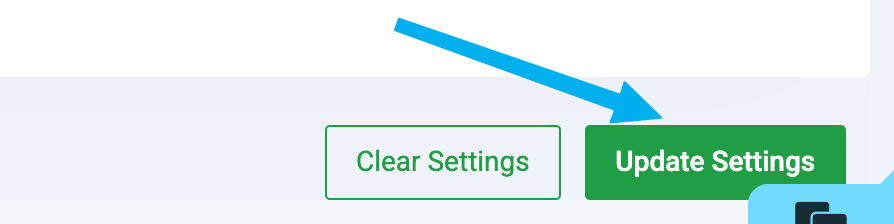
Note for CS:
This is a workaround implemented because EasyEcom currently does not provide a native way to reserve or hold inventory for exchange requests.
When a customer selects a product and places an exchange request, Pragma automatically adds the tag "blocked_by_pragma" to the corresponding order in EasyEcom. This causes the order to be marked as "QC Failed" in EasyEcom, ensuring that the warehouse team does not mistakenly process it as a regular forward order.
Once the returned product has been picked up and the exchange order is created by an agent or through automation in the Pragma RMS dashboard, the inventory block is automatically released. At this stage, Pragma adds the tag "released_by_pragma", allowing the order to proceed normally in EasyEcom.
This process helps ensure that exchange inventory is reserved until the original product is received, preventing accidental fulfillment and inventory mismatches.
Also Pragma settings should be enabled accordingly FYI.
Was this article helpful?
That’s Great!
Thank you for your feedback
Sorry! We couldn't be helpful
Thank you for your feedback
Feedback sent
We appreciate your effort and will try to fix the article